FOCUS FOR 20 MINUTES.
Sanctuary is a digital wellness companion that makes you actually take the break. Built for people who spend their days on screens and keep skipping it. Most timers let you skip the break. Sanctuary does not.

On attention, honestly.
No decisions mid-flow.
No bargaining with yourself.
What the loop does.
Paced breathing.
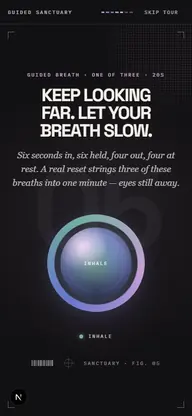
Three guided 20-second rounds — inhale 6, hold 6, exhale 4, hold 4 — complete the 60-second reset before Sanctuary returns you to focus.
Read the breathing guide →Binaural focus.
Sound can help some people settle and distract others. Sanctuary keeps binaural audio as optional atmosphere under the focus loop, never as the reason the system works.
Read the evidence guide →20-20-60 restore.
Inspired by the 20-20-20 rule, Sanctuary interrupts close-focus work every 20 minutes with a 60-second eye rest: look about 20 feet away, breathe, then return to the task.
Read the eye-break guide →Sanctuary — the 20-20-60 loop.
It sits beside your actual work.
Most timers make the break negotiable. Sanctuary handles the timing and transitions so you do not have to decide, defer, or bargain with yourself mid-flow. Optional sound remains ambience; the loop is the mechanism.
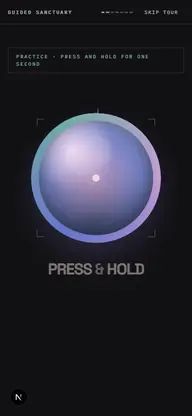
- 01Start a session.Press and hold the companion to start a focus session.
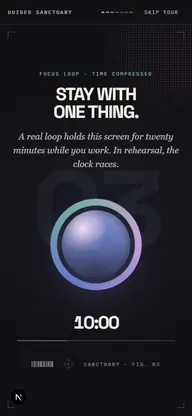
- 02Work for 20 minutes.Sanctuary sits beside your workflow while you stay with the task.
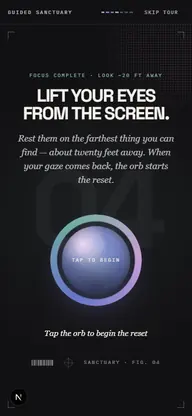
- 03Rest your eyes.A gentle cue asks you to look about 20 feet away from the screen.
- 04Breathe, then return.A 60-second guided breathing reset closes the break, then the loop repeats.
The loop, now on your desk.
Full Sanctuary for Windows — tray-light while you work or play, whole when you open it. Reminders wait through games and meetings, then arrive once.
Still beside you in Chrome.
The 20-20-60 focus loop, guided breathing, and gentle reset reminders in Chrome's side panel — for the days you live in the browser.
Priced by commitment.
Founding Member Sale — limited time
1 week free · then ½ off for 6 months on any paid plan
No code needed — the discount activates at checkout. Pro is $8/mo $4/mo and Elite is $16/mo $8/mo for the first 6 months. Auto-renews at full price after. Cancel anytime.
- Core 20-20-60 loop
- 60-second guided breathing reset
- Basic reminders
- Guest-first practice
1 week free · then ½ off for 6 months
- Saved session history
- Progress views
- Binaural & pink-noise soundscapes
- Daily intentions
- Reminder windows
- Tech-health routine set
- Priority reminders
1 week free · then ½ off for 6 months
- Everything in Pro
- Signal Fast — the Elite signature
- Companion presence — voice & captions
- Practice reviews on request
- Multi-device reminder continuity
- Deeper companion context
- Spoken practice reviews
- Settings help on request
Asked, answered.
Is this a meditation app?
Not exactly. It's a calm companion with a few evidence-aware tools — paced breathing, optional binaural sound, and the 20-20-60 focus loop. No library, no daily quotas, no streak pressure.
How does the 20-20-60 loop work?
The core loop is 20 minutes of focus, then a 60-second eye rest — look about 20 feet away with a guided breathing reset — before returning to the task. It arrives inside a session you already started, so you are not relying on willpower to take the break yourself.
Where can I run Sanctuary?
On the web — and you can install it like an app — in the Sanctuary Companion Chrome side panel, and on Windows with Sanctuary Desktop — tray-light while you work or play, full when you open it. One account keeps the practice continuous everywhere.
Can I change the voice or interval?
Yes. Settings hold the voice, the interval, and the soundscape. The default rhythm is 20 minutes of focus followed by eye rest and guided breathing.
Will there be more tools?
In time, yes — and anything new will live in the same room, never as a branch into a library. We'd rather do a few things well than pile up a shelf that doesn't.
What about data and privacy?
We keep it minimal: anonymous product analytics, session data tied to your account, and audio generated on your device. Sanctuary Desktop reports only the kind of activity — never window titles. An account is optional, nothing is sold or used for ads, account deletion is live in Settings, and JSON export is available on Elite.
Begin the next loop.
Try the full core 20-20-60 rhythm free: focus, eye rest, guided breath, return. No card, no pressure, no “discover” feed waiting on the other side.